Short answerThe owner can hand the account to someone on the team, or close it. Closing keeps your hiring records for 12 months.
Steps
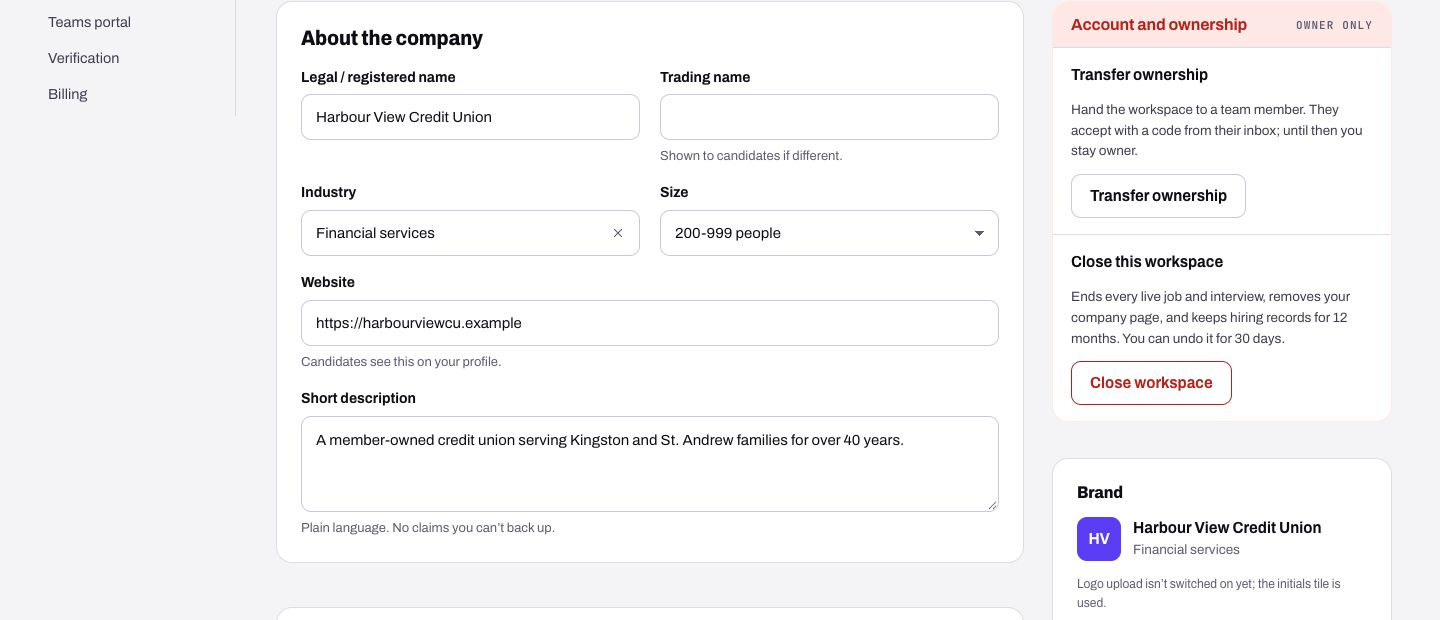
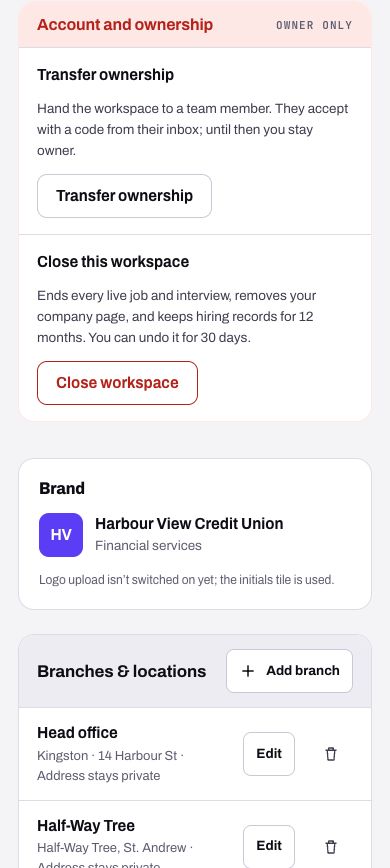
- Open Company → Company profile, then Account and ownership. Only the owner sees it.
- To hand over: press Transfer ownership, pick a teammate with a verified work email, and press Send the code to their name. They accept with the code from their inbox. Until then you stay owner.
- To close: press Close workspace and type the company name exactly to confirm.
- Closing ends every live job and interview and removes your company page.
Who gets told
- Applicants and candidates
- Open applicants are told the job closed. Booked interviews are cancelled.
- The next owner
- Gets everything, including billing and who else is an owner.
- You
- Can undo closing for a while; the screen shows the date. After that it can't be undone.
Good to know
- Hiring records are kept 12 months after you close.
- Closing a single job is different. See Close a job: filled or cancelled.
Did this help?
Tell us, so we can fix what doesn’t.