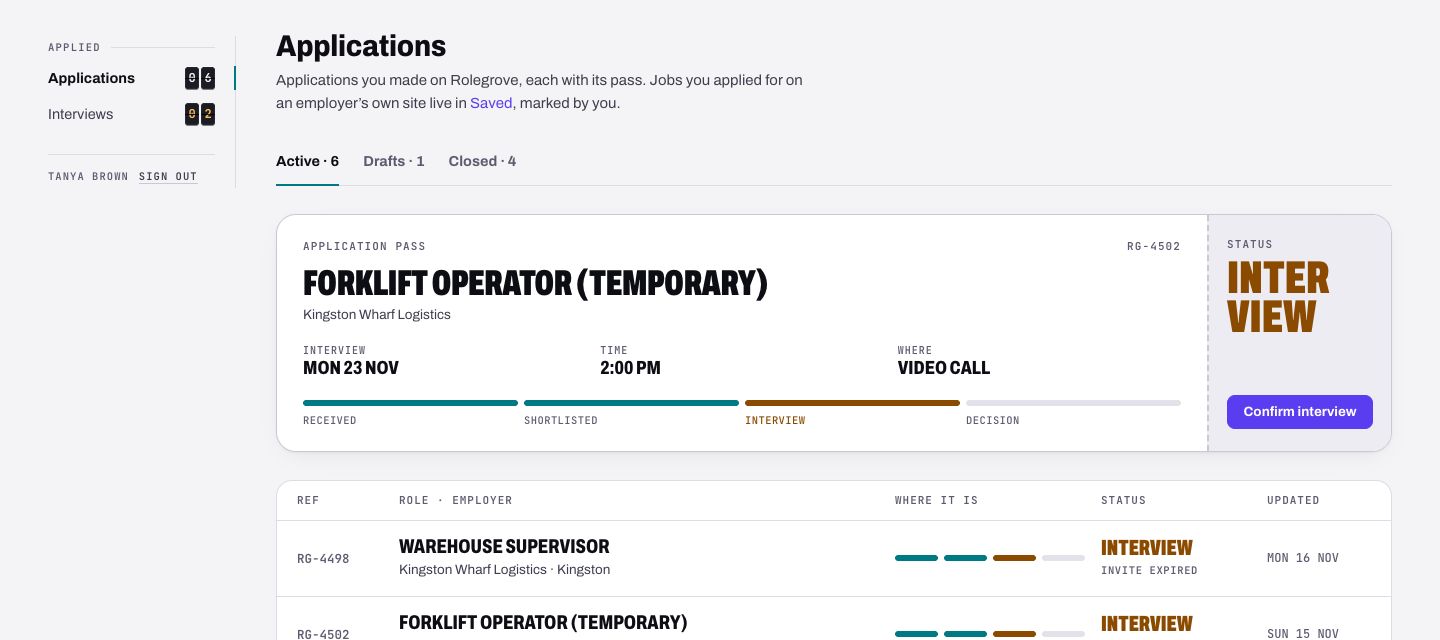
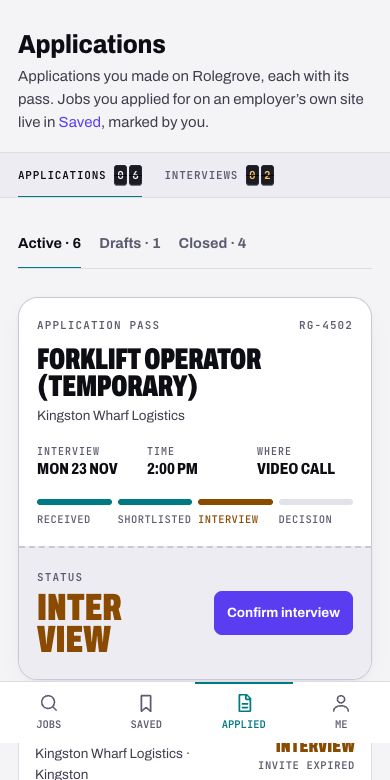
Short answerApplications shows every job you applied to on Rolegrove and the step it's at: Received, Shortlisted, Interview, Offer or a closing status.
Steps
- Open Applications. Use Active, Drafts and Closed to switch lists.
- Each row shows the reference, the job, where it is, and when it last changed.
- Open one to see its pass, a timeline, your messages with the employer and what you sent.
- When the employer moves your application, the pass changes and you get an email.
What the steps mean
- Received
- The employer has it.
- Shortlisted
- They're considering you.
- Interview
- They've invited you. See Interviews: pick a time, change or cancel.
- Offer or Hired
- They made an offer, or you've been hired.
- Not selected, Job filled, Job closed, Withdrawn
- It ended. See “Not selected” and “Job closed”.
Good to know
- We can't promise how fast an employer moves.
- Jobs you applied to on an employer's own site live in Saved, marked by you.
Did this help?
Tell us, so we can fix what doesn’t.